Strategy Lab: Overview and Performance
The Strategy Lab shows which of your strategies actually make money, whether that edge is real, and which of your rules are worth keeping. Overview ranks all your strategies side by side; Performance drills into one strategy, its rules and its trades. The Strategy Lab was formerly called Strategy Board, and some older guides still use that name.
Availability: all plans, from Trial. Open it at app.tradelyser.com/strategy-board/overview, or choose Strategy Lab in the sidebar.
Every number here comes from the closed trades tagged to your strategies, for the account selected in the header and the Period in the filter bar (30D, 90D, This FY or All time). Trades count in the period they closed, in India time. If you haven't set up strategies yet, start with Create a trading strategy.
Overview: how your strategies are doing
Overview reads from top to bottom like a one-page report:
| Section | What it shows |
|---|---|
| Tagging coverage | The share of trades tagged, and suggestions for the rest. Hidden once 80% of trades are tagged. |
| Limits breached | A red banner when any limit was hit in the period, with Review limits →. |
| Headline figures | Net P&L, Win rate, Expectancy (net P&L ÷ trades), Profit factor (winning total ÷ losing total) and Max drawdown. |
| Running P&L and Health | Cumulative P&L with time below a previous high shaded, plus peak capital in use, return on it, profitable months, Sharpe (needs 3+ months) and recovery. |
| Monthly results and Daily P&L calendar | P&L per month, and one square per trading day for the last six months. Click a day to list its trades. |
| League table, edge check and rules check | Covered in the sections below. |
For what these metrics mean in general, see Analyze strategy statistics and metrics on the TradeLyser site.
Tagging coverage and suggested strategies
If many trades aren't tagged, the Lab only describes part of your trading. The coverage card suggests a strategy for each untagged trade by comparing it with your tagged trades on instrument, holding time, underlying, direction, time of day and size. Only active strategies with at least 5 tagged trades are suggested.
Strong match means at least 6 of the 7 most similar tagged trades belong to that strategy; Likely means most do. Accept tags the trade, Change picks another strategy, and ✕ hides it from suggestions on this device.
To catch up on many trades at once:
- Click Review untagged trades to open the full list in a side panel.
- On Suggested, use Accept all strong matches for the easy ones, or tick rows and click Accept selected. After ticking one trade you can add all from the same day or all of the same underlying.
- Biggest untagged lists your 20 largest untagged trades.
- No strategy yet groups trades that don't look like any strategy, for example BANKNIFTY options · under 30 min. Use Create strategy for these to open the wizard pre-filled, or tag all to an existing strategy.
Suggestions tag the strategy, not the rules. After tagging in bulk, open a few trades and tick the rules you followed on the Strategy Map tab of Trade Details.
The league table and compare mode
Strategies, by what they added lists every strategy sorted by net P&L. Click a row to open its Performance page.
| Column | Meaning |
|---|---|
| Verdict | Keep (made money), Review (lost a little), Pause? (lost a fifth or more of what your winning strategies made) or Too early (fewer than 5 trades). |
| Trades / Win rate / Net P&L | Closed trades, the share that made money, and net P&L after costs. |
| Share | Net P&L compared with the strategy that moved the most. |
| Biggest trade | The largest trade either way. A pill warns when one trade explains 40% or more of the profit, or 80% or more of a loss. |
| Profit factor / Expectancy | Gross profit ÷ gross loss, and average net P&L per trade. |
Columns adds the figures from the old Comparison page, such as average and largest win and loss, return, max drawdown, Sharpe and open risk.
To compare strategies directly:
- Tick 2 to 4 strategies in the league table. Your default strategy starts ticked.
- Click Compare N → to open the compare panel on the same page.
- Read the side-by-side table (the best value in each row is green) and the overlaid running P&L chart.
- Check Do they win and lose on the same days?, the correlation of daily P&L (needs 5 shared trading days). Low or negative values mean running them together spreads your risk.
- Click Close compare when done.
A strategy that wins 40% of trades with a profit factor of 1.6 is a better edge than one that wins 65% with a profit factor of 0.9. For the reasoning, read How to compare trading strategies.
Is the edge real? Trust and rules
| Column | Meaning |
|---|---|
| Last 20 trades / All trades | Average P&L per trade recently and overall (needs more than 20 trades). |
| Trend | ↑ Improving, → Holding, ↓ Fading (recent trades earn under three-quarters of the long-run average) or ↓ Near break-even. |
| Without best & worst | Net P&L with the single best and worst trades removed. |
| Trust | Roughly how many more trades before the average per trade is clearly above zero. Loss is one trade means the loss disappears without the extremes. |
Does keeping your rules pay? groups tagged trades into Every rule kept, Most rules kept (at least half) and Most rules broken, with the average result of each. If keeping rules didn't help, the note says so: your rules may not be what decides the result.
Performance: one strategy in depth
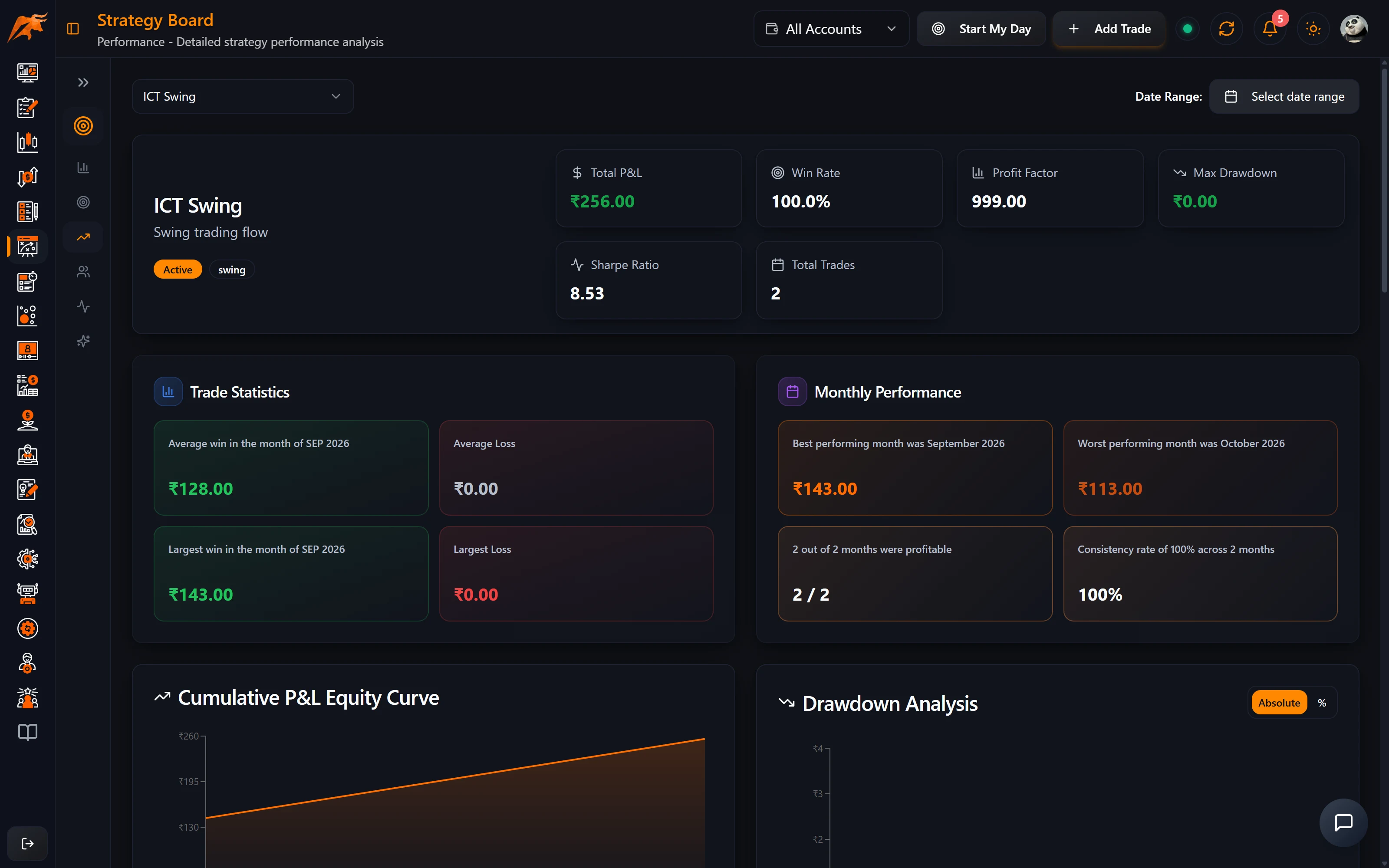
Pick a strategy from the selector at the top right (your default opens when you don't choose); Edit rules in the header opens the wizard. The headline figures are Net P&L (with a warning when one trade is 30% or more of it), Win rate, Expectancy (also without the biggest trade), Profit factor and Worst trade. Below them:
| Section | What it shows |
|---|---|
| More statistics | A short reading of the numbers, then Wins vs losses, Risk & recovery, Consistency and Capital & costs. Costs show Understated when trades have no charges recorded. |
| Is the edge holding up? | The 20-trade average against the all-trades average, and how many trades before you can trust it. |
| Quick what-if | The Change if you had capped losses at your Max loss per trade limit, left out trades where most rules were broken, or not had the biggest trade. Click a row to open the full simulator. |
| Limits on this strategy | Each limit's status and the trades that broke it, or + Add limit. |
| What breaking rules cost here | Trades where you kept most or all rules against those where you broke most. |
| Charts and patterns | Running P&L, drawdown, best weekday, holding time, entry time and underlying, plus breakdowns by month, symbol, instrument and long/short. |
| Trades in this strategy | Closed trades and Open positions tabs. The totals row always covers all trades, not just the page. |
To follow a strategy month to month, see tracking strategy performance over time.
Do your rules pay off?
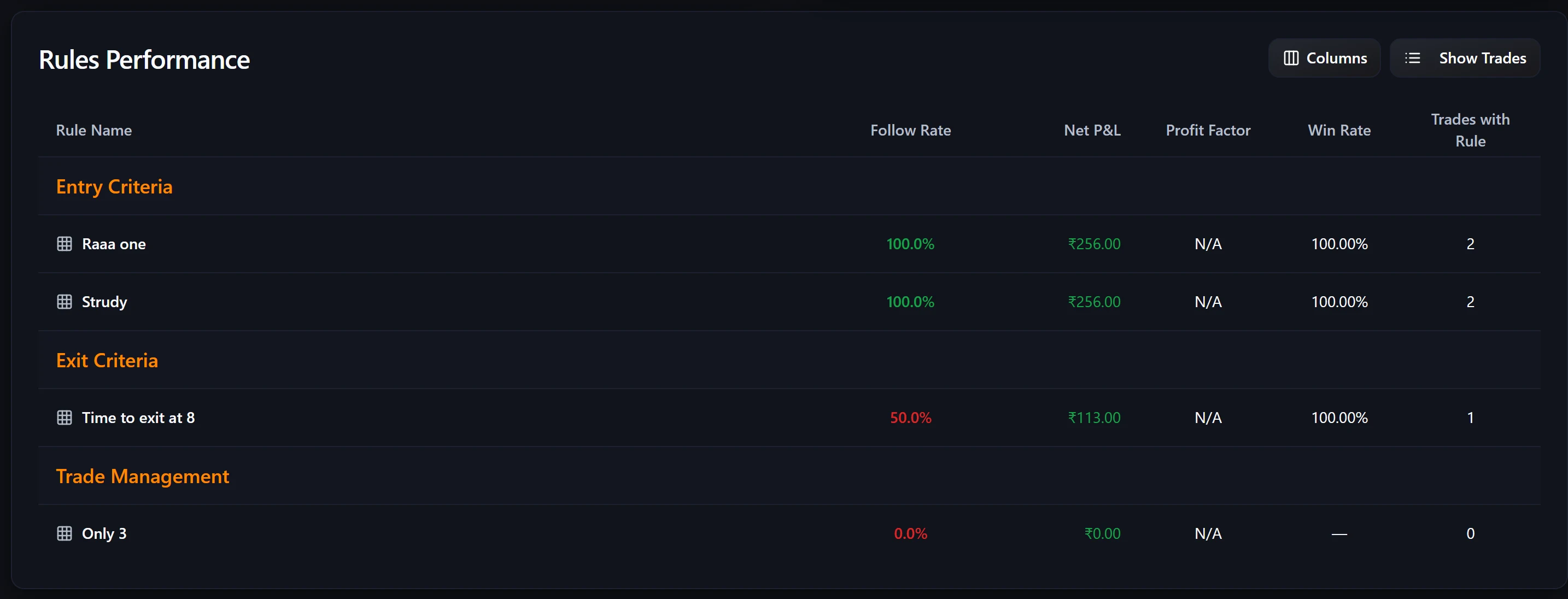
For every rule, this table compares the trades where you ticked it with the trades where you didn't.
| Column | Meaning |
|---|---|
| Followed | Closed trades where the rule was ticked, out of the strategy's closed trades. |
| Avg / Median followed and skipped | Average and middle P&L of each group. The median isn't pulled around by one outsized trade. |
| Win rate followed / skipped | Share of winning trades in each group. |
| Verdict | Follow it, Skipping it did better, No clear effect, Too few to judge (needs 3 followed and 3 skipped trades) or Rarely used – drop or use? (ticked on under 10% of 10+ trades). |
If a rule shows Follow it with a clearly better median, treat it as non-negotiable. If it shows Rarely used, start applying it or remove it in Edit or archive a strategy.
Why is the Strategy Lab empty?
| Cause | What to do |
|---|---|
| No trades are tagged | Tag trades on Trade Details → Strategy Map, or use Review untagged trades. |
| The Period is too short | Switch the filter bar to All time. |
| Wrong account selected | Only the account in the header selector is used. |
| A strategy is missing | It may be paused while Active only is selected. Switch to All. |
Frequently asked questions
Is the Strategy Board the same as the Strategy Lab?
Yes. The app now calls it Strategy Lab. Overview replaced the old Statistics and Comparison pages, and old links to them open Overview.
How do I compare two trading strategies in TradeLyser?
Tick 2 to 4 strategies in the Overview league table and click Compare N →.
How does TradeLyser know which rules make money?
It compares trades where you ticked each rule with trades where you didn't, once each group has at least 3 trades.
Related guides
- Strategy Lab analytics and AI coaching
- Create a trading strategy and Edit or archive a strategy
- Backtesting, to compare a backtest with live trades in the same strategy
- On the TradeLyser site: How to compare trading strategies