Strategy Lab Analytics and AI Coaching
Overview and Performance tell you how each strategy did. Analytics looks at all your strategies together: how concentrated your money is, how you behave after wins and losses, how you do in different market conditions, how much risk you carry, and what would have happened if you had traded differently. Coaching turns your tagged trades into a week-by-week (up to annual) review with findings ranked by rupee impact and a plan the next review checks.
Availability: Analytics needs Pro; other plans see a blurred preview with Upgrade to Pro. Coaching is on Basic and Pro and uses AI credits. Open them at app.tradelyser.com/strategy-board/analytics and app.tradelyser.com/strategy-board/coaching, or from the STRATEGY LAB menu.
Both pages read the closed trades tagged to your strategies, so tag your trades first (see Strategy Lab: Overview and Performance).
Analytics: risk and behaviour across all strategies
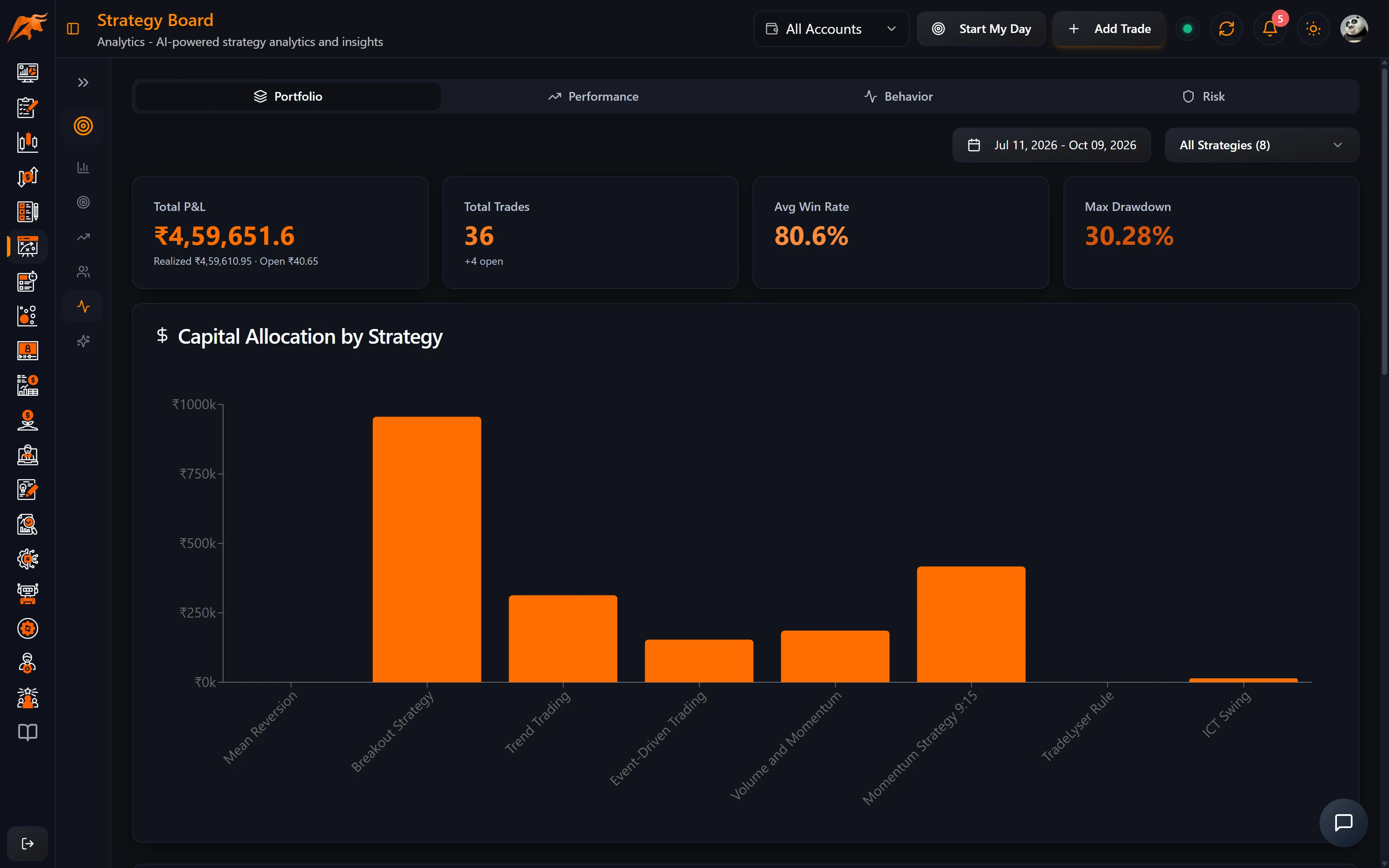
Analytics uses the same Period, Strategies and account filters as the other Strategy Lab pages. Each tab opens with Key findings: two to four plain sentences worked out from the numbers, shown only when the data supports them. These findings don't use AI credits.
| Tab | What it shows |
|---|---|
| Diversification | Concentration of the money you trade (Spread out, Moderate or Concentrated), Effective strategies (how many equal-sized strategies you trade like), Profit concentration in words, money traded by strategy, and a correlation matrix. |
| Behaviour | Results by weekday, holding time, position size, entry time and instrument; Do your best-rated trades do best?; and streaks and tilt (how you do soon after a loss). When trades soon after a loss win much less often, the findings offer Add cool-off →. |
| Market conditions | How you and each strategy do on NIFTY 50 up, flat and down days (more than ±0.5% at the close), using the day each trade closed. Strategies need 5+ trades on such days to be read. |
| Risk | Max drawdown, VaR and CVaR, daily volatility, Sharpe, Sortino and Calmar; a risk-vs-return chart; an underwater chart; a risk table per strategy; and a risk summary with a score out of 10 and alerts. |
| What-if | Replays your tagged trades with changes you choose (see the next section). |
The terms in plain language:
| Term | Meaning in TradeLyser |
|---|---|
| Correlation | From −1 to +1. Two strategies at 0.5 or more tend to win and lose on the same days, so running both doesn't spread your risk. Shown as n/a with fewer than 5 shared trading days. |
| VaR 95% (1 day) | On a bad day (1 in 20) you can expect to lose about this much. |
| CVaR 95% | The average loss on those bad days. |
| Sharpe / Sortino | Monthly P&L, annualised. Sortino counts only losing months as risk. Both need 3+ months. |
| Calmar | Yearly return ÷ max drawdown. Needs 6+ months and a drawdown. |
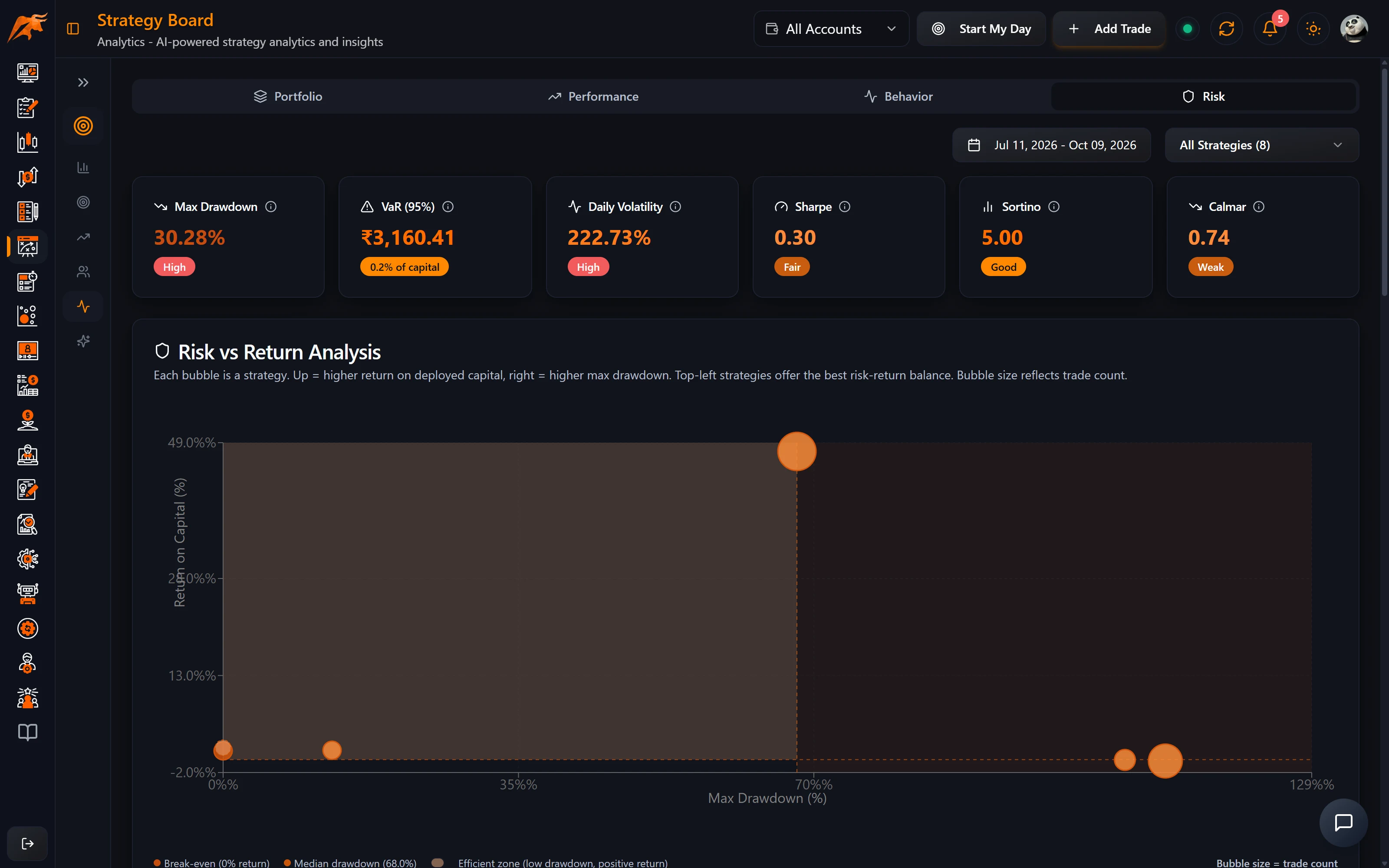
The risk score out of 10 adds drawdown depth (0–4), dependence on single big losses (0–3) and lack of diversification (0–3): under 3.5 is low, 6 or more high. With fewer than 30 trading days, treat VaR and volatility as rough. For background on drawdown, see Max drawdown in the glossary.
What-if: replay your trades
The What-if tab recalculates your results with the changes you pick, all applied together:
- Which trades: leave out strategies (losing ones are listed first) and skip instruments (call options, put options, futures or cash). A trade tagged to several strategies stays unless all of them are left out.
- Discipline: leave out trades where most rules were broken, and skip trades entered within 15 min, 30 min or 1 hour of a loss.
- Risk: cap any single loss. Use my limit fills in your Max loss per trade limit.
- Market: skip trades on NIFTY up-days (more than +0.5%).
The result panel shows the Change, Actual → What-if, what each change did on its own, and both running P&L lines. Copy link saves the scenario so it reopens exactly, and with nothing picked, Try one of these suggests ideas with their effect.
For example, if capping any single loss at ₹50,000 turns an actual ₹7.5L into a what-if ₹11.4L, one or two oversized losses cost you almost ₹4L. Add a Max loss per trade limit on the Strategies page so you are warned next time.
What-ifs replay past trades; they are not a forecast. A rule that would have helped in the past is a reason to try it, not a guarantee.
Coaching: weekly to annual reviews
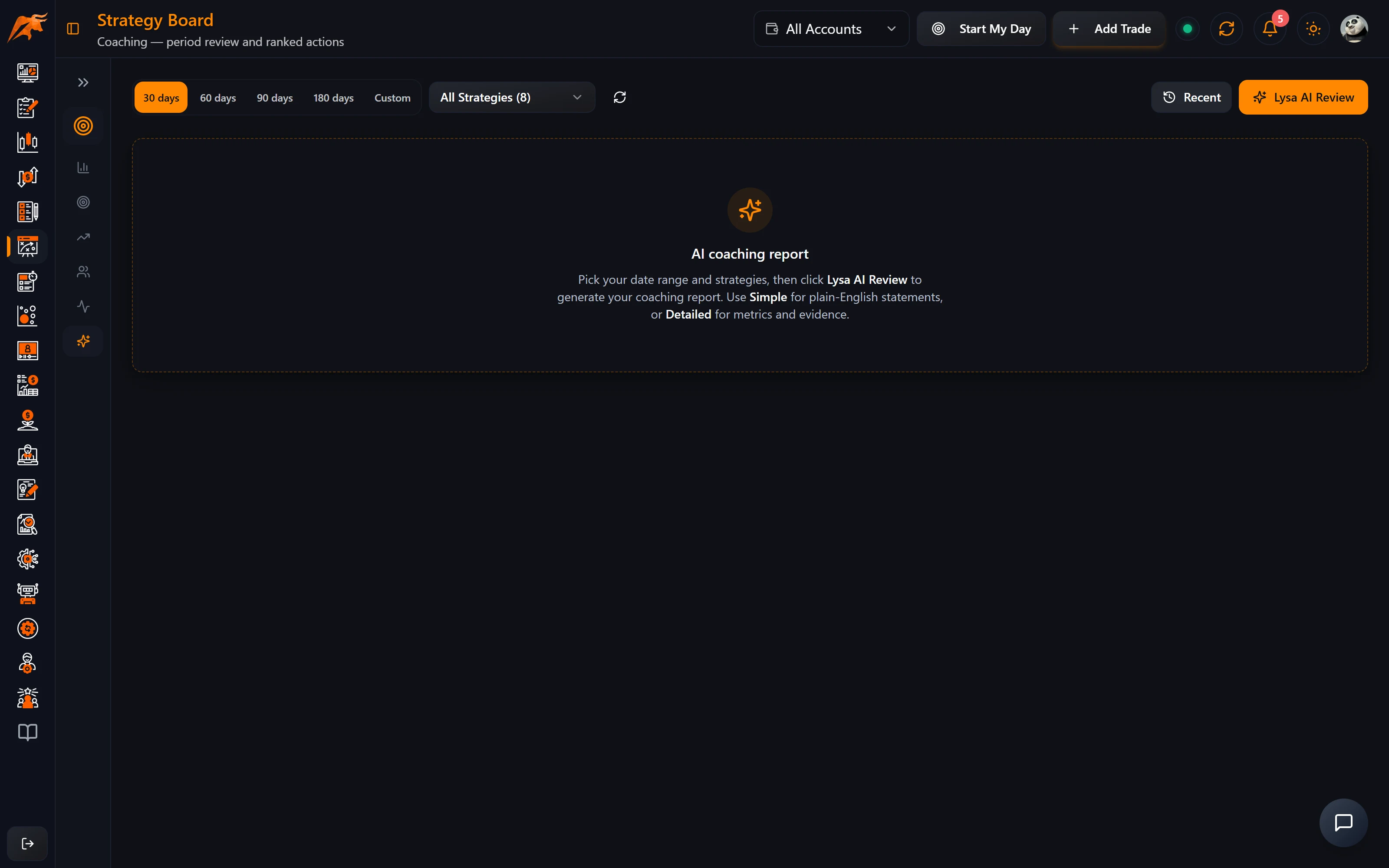
Coaching reviews your trading one period at a time: Weekly, Monthly, Quarterly, Half-yearly or Annual, with Custom for a one-off date range. It opens on the last completed period; the current period shows In progress. Use ‹ › to step between periods, or click one on the timeline.
- Pick the period type and the period. The timeline shows each past period's P&L, with ● for periods you've reviewed and ○ for ones you haven't.
- Pick the strategies. Your active ones are selected to start with. Coaching uses the account in the header and has its own period, separate from the Lab's filter bar.
- Click Lysa AI Review. TradeLyser works out every number from your tagged trades, then Lysa writes the words around them.
- Read it top to bottom; it is written to be read in a few minutes.
- Use the buttons in your plan, for example Add a ₹2K max loss per trade limit. Next period's review checks whether you hit each target.
The review opens with Your week in review and the Lysa AI Narrative (Listen to Lysa reads it aloud at no cost), then seven numbered sections: Market vs you, Your trading score, What's working, What's costing you, Are you improving?, Your plan for next period and Mindset & Discipline Diary. It ends with A note from Lysa. Quarterly and longer reviews add a Scale / Keep / Review / Pause call per strategy under What's working.
| Trading score part | Points | Full points when… |
|---|---|---|
| Stop on every trade | 25 | every trade has a stop loss recorded |
| Rules kept | 25 | every rule of the strategy is ticked on every trade |
| Normal position size | 20 | no position is more than 1.5× your typical size |
| Calm after a loss | 15 | no trade opens within 30 minutes of a losing trade closing |
| Planned entries | 15 | no entries after 2:30 pm and none tagged as a mistake |
Credits, settings and sharing
- A weekly or monthly review uses 10 AI credits; quarterly, half-yearly and annual use 20. Open saved review is free; Regenerate costs the same as a new review.
- Every ₹ and % comes from your trades. A ⚠ icon means trades in that period changed after the review was written.
- ⚙ Review settings sets your review year start (April by default), trading week (Mon – Fri or Mon – Sat) and reminders by bell and email the morning after a period ends.
- Share makes an image card of your score and progress, never your trades. PDF saves the whole review.
Where it fits in your routine
- After the close each day: tag today's trades to strategies with Map trades on Overview or Strategies (or Map AI Strategy in the Trades Log), and tick the rules you followed. Both AI options use credits and let you review before saving.
- Each weekend: open the weekly Coaching review when the reminder arrives, then replay your biggest losers in Trade Replays.
- Each month: run the monthly review and act on its plan, and check Overview's league table to decide which strategies deserve more size.
- Before changing a rule: test it in What-if, then practise it in Backtesting before trading it with real money.
Before running Coaching, give your trades a stop loss, a star rating, a strategy and a mindset tag. The coverage chips at the top of the review show what's missing, with a link to fix it.
Frequently asked questions
Does TradeLyser have AI trading coaching?
Yes. Strategy Lab → Coaching writes weekly, monthly, quarterly, half-yearly and annual reviews of your tagged trades, with a plan the next review checks.
Why is Strategy Lab Analytics blurred?
Analytics is a Pro feature. Other plans see a blurred preview with Upgrade to Pro.
Does reopening a Coaching review cost credits?
No. Open saved review is free; only a new review or Regenerate uses credits.